Address Book Software
Home Suite
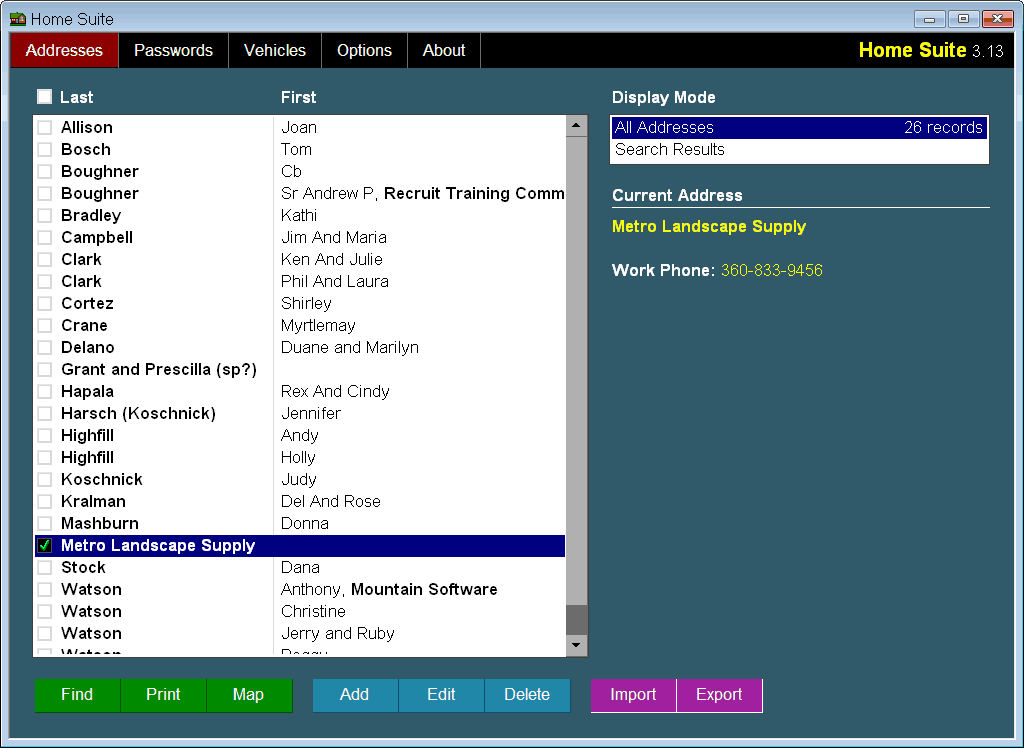
includes an easy to use address manager. Keep track of family, friends,
and businesses you work with. Typical contact information can include
the mailing address, multiple phone numbers, email, web site, and more.
Use the miscellaneous fields to add personal notes for birthdays,
anniversaries, or how you met. You can easily make changes when a
person moves or a company goes out of business. You can quickly update
a phone number or email address. No more writing addresses with a
pencil or using "white out" to make corrections.
- Transfer Contacts From Other
Applications: Easily move your contact information to Home Suite
from other applications. Export your addresses using the vCard or CSV
format, then import them into the Home Suite address book. To make
the transition easier, you can select which fields you want to
transfer from your old address software.
- Find Contacts Quickly: Home Suite sorts
your addresses automatically, making it easy to browse to the record
you are interested in. Or, use the Find feature to locate a single
record or groups of contacts. Combine search results to narrow or
widen your search. You can also remove unwanted items from your
search results.
- Print Labels and Envelopes: Print
envelopes and labels in a variety of formats. These work great for
invitations and newsletters. You can even adjust the position and
spacing as needed to fit your printer labels. Disable individual
labels if you are reusing a partial sheet of labels. Enter a return
address and print directly to envelopes.
- Create Address Books: Print custom
address books to use when you are away from the computer. You can
print your entire collection or individual records for your address
book.
- Map Locations: Get directions to any
address in your address book by accessing popular mapping services.
Home Suite lets you choose from Google Maps, Mapquest, and Bing
maps.
- Email and Websites: Quickly send an email
to anyone in your address book with the simple click of a button. One
click will also take you to the web site of your selected
contact.
- Share your contacts: Home Suite makes it
easy to use your addresses in other applications. You can also share
your addresses with friends and family. Export individual records or
share your entire address book. Use the vCard or CSV formats to
exchange addresses with other address book software. Or export a
simple email address list for use in a mass mailer or other utility.
You can even export a plain text record if you need to paste it into
a document or email it to a friend.
Password Manager
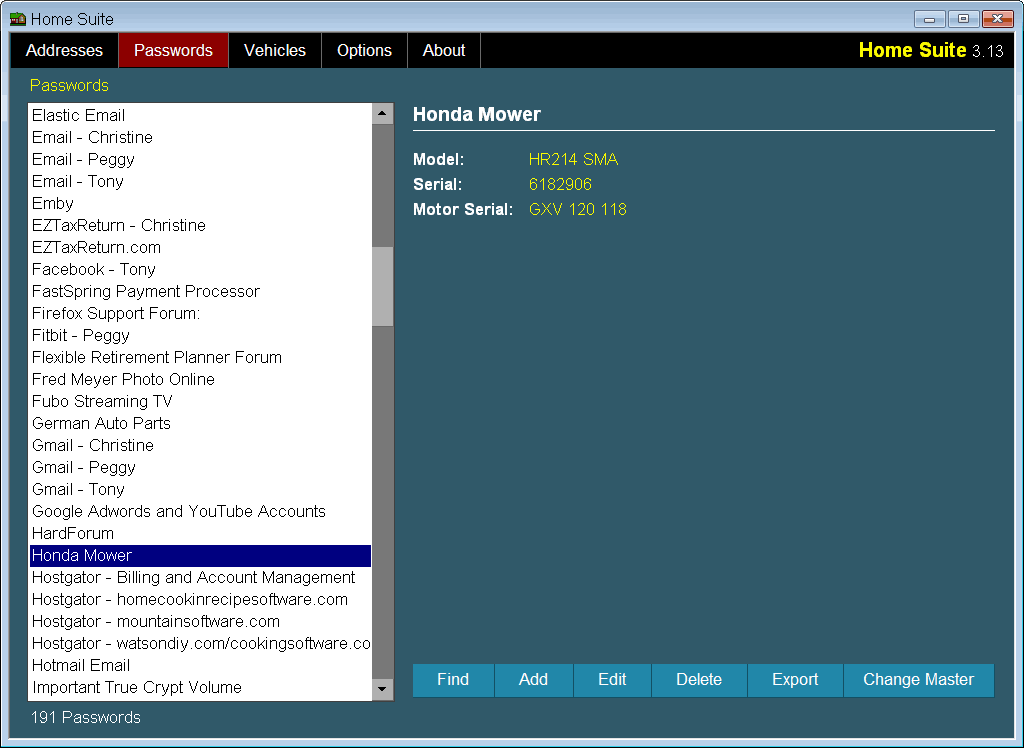
Our lives are
filled with codes and numbers we need to remember. Home Suite provides
an easy way to organize these numbers by providing user definable
records. To keep everything secure from prying eyes, the database is
protected with a master password using 256-bit AES encryption.
Save your account numbers, codes, and passwords in Home Suite so they
are easy to find and access when you need them. Copy the desired
information to the clipboard with a single click to paste into a web
page or other form. You may define your own labels for each field to
accommodate a wide variety of tasks including:
- Web Site Passwords: User names,
passwords, email, web site addresses, answers to "secret"
questions.
- Credit Cards: Card numbers, expiration
dates, verification codes, customer service numbers.
- Bank Accounts: Account numbers, routing
numbers, PIN codes, bank phone numbers.
- Social Security Numbers
- Drivers Licenses: License Numbers,
Expiration Dates, etc.
- Medicare and Health Insurance: - Account
numbers, expiration dates, contact info.
- Cell Phones:Phone numbers, SIM serial
numbers, expiration dates, service provider.
- Model and Serial Numbers:Appliances,
Electronics, Power Tools, etc.
- Software Registrations: Registration
codes, purchase dates, company names, support email and web
sites.
- Drivers Licenses: License numbers,
issuing state, expiration dates.
- Email Accounts: Service provider, server
settings, user names and passwords.
- Inventories: Item, brand, model, serial,
price, purchase dates.
- Tax Records: License numbers,
authorization codes, registration ID's.
- Simple Reminders: Birthdays,
anniversaries, to-do lists.